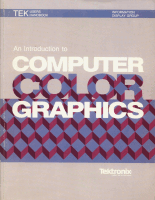
An Introduction to Computer Color Graphics

Company:Tektronix
Part:070-5239-01
Date:1987-05
Keywords:

Table of Contents

  • Chapter 1 Introducing Color Graphics
    • What is a color graphics system?
      • Color graphics display
      • Computing device
      • Programs
      • File storage
      • Output devices
      • Color hard copy
      • Input devices
  • Chapter 2 Applications of Color Graphics
    • Presentation graphics
      • Lists
      • Charts and simple drawings
      • Graphs
      • Preparing presentations
    • Data base access for quality control and evaluation
    • Technical data analysis and representation
    • Two-dimensional layout and design
      • Electronic design
      • Drafting and technical illustration
      • Facilities layout and design
      • Textile design
      • Process control
    • Three-dimensional modeling and design
      • Mechanical design
      • Surgical planning
    • Integrated design and manufacturing
  • Chapter 3 Basic Raster Graphics
    • Basic color raster operation
    • How a picture is displayed
    • Approaches to computer graphics
      • Character cell graphics
      • Pixel graphics
      • Vector graphics
  • Chapter 4 Tek-Style Graphics
    • Graphics area and dialog area
    • Terminal space
    • Graphics primitives
      • Vectors
      • Arcs
      • Panels
      • Markers
      • Graphtext
    • Segments
      • Host and local segments
      • Advantages of local segments
      • Using local segments
    • Zoom and pan
    • Graphics surfaces
    • Views and viewports
    • Graphics input
    • Pixel graphics and character cell graphics
    • Graphics output
      • Background copy
  • Chapter 5 Using Your 4200 Series Terminal
    • Creating a picture
      • Displaying a stored picture
      • Creating a stored picture
      • Creating pictures from the keyboard
    • Editing a picture
      • Changing only the display
    • Creating effective displays with color
      • Using color effectively
    • Locating and highlighting information
    • Comparing information
    • Including text in a picture
      • Guidelines for using text in pictures
    • Seeing detail in a picture
    • Creating and using a menu
    • Multilayered displays
    • Showing depth
      • 3D stereoscopic displays
    • Text editing on a 4200 Series terminal
    • Using segments
      • Defining a segment
      • Converting 4010 pictures to 4200 pictures
      • Creating interactive graphics
      • Protecting part of a picture
      • Deleting a segment
      • Moving a segment
      • Copying a segment
      • Editing a segment
  • Chapter 6 Selecting a Color Graphics System
    • Will a color graphics system be difficult to implement?
      • Initial planning and setup
      • Long-term operation
    • Terminal or PC?
      • Tek-style graphics on PC platforms
    • Terminal or workstation?
      • Cost
      • Size of application
      • Augmenting host resources
    • What color graphics features do I need?
      • Bright, stable display
      • Display characteristics
      • Adequate terminal space
      • Graphics feature set
      • Speed
      • Color capability
      • Alphanumeric capability
      • Multi-host communications and coax operation
      • Hard copy compatibility
      • Family compatibility
    • Do I need distributed processing?
    • Is software support available?
      • Is the software compatible with my operating system?
      • Does the software support my hardware?
      • Will an existing software package meet my needs?
      • Will I need to modify the package later?
      • Will I need to write the software?
    • Can I get fast, quality graphics output?
  • Appendix A Information Sources
  • Appendix B Tektronix Field Offices
  • Appendix C Feature Summaries
  • Appendix D Graphics Software Products

Copies

No copies are known to be online. Feel free to create a bug report on our GitHub project if you know of an online copy of this publication.